First pre-release: APEC Vox QCA v0.1.3
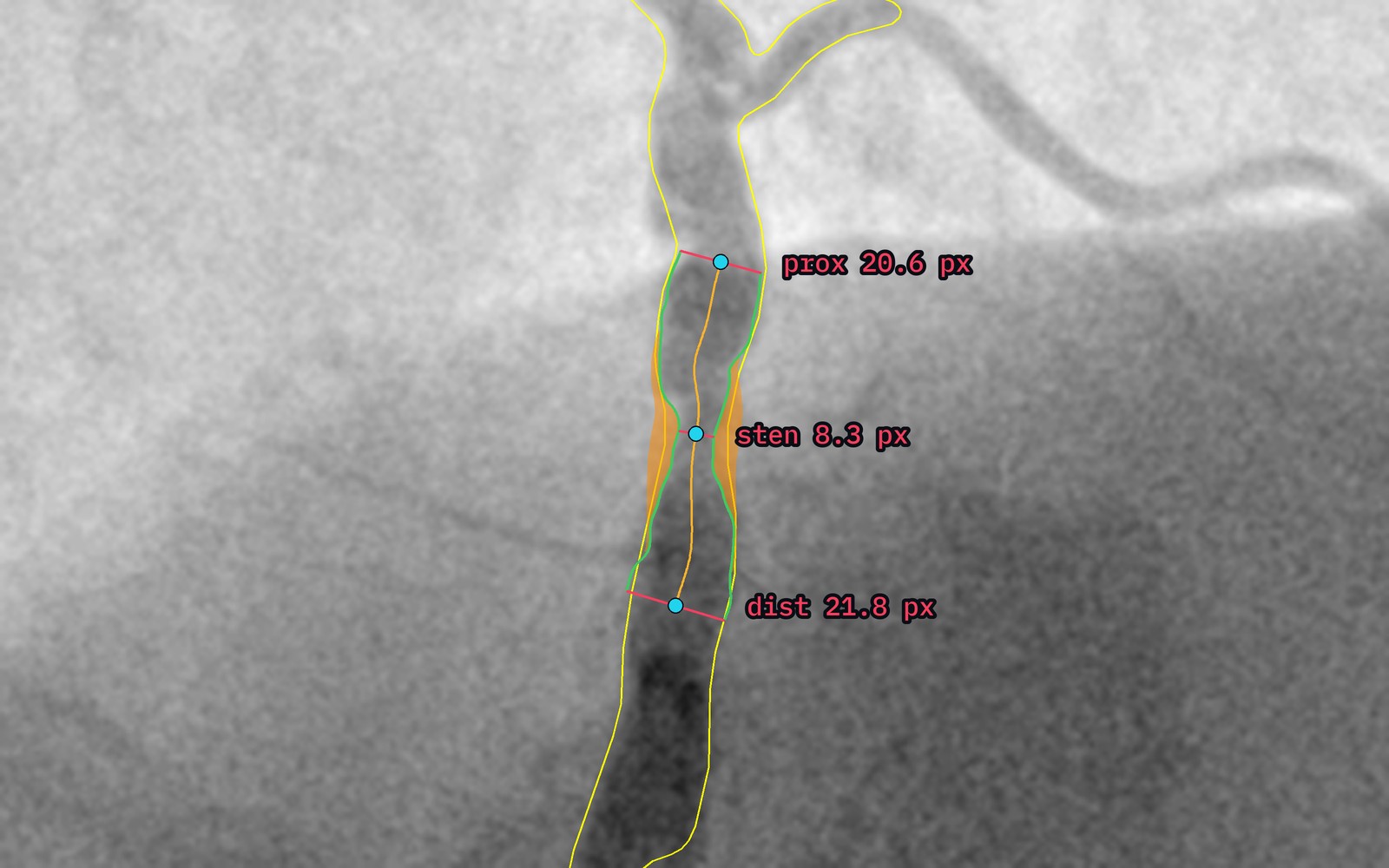
APEC Vox QCA v0.1.3 is the first pre-release of the application. It is not a general release: it has gone to a small group of cardiology professors for a first evaluation. They are using it on their own cases, under a research-use agreement, and telling us how it fits their workflow, where it gets the vessel wrong, and where its measurements differ from their own reading. What they find shapes the first version.
The build changes how %stenosis is worked out. To say how narrow a vessel is you need to know how wide it would be if it were healthy — the reference diameter. Earlier builds read that from the two ends of the segment the operator clicked, so where you clicked changed the answer, and clicking close to a lesion could quietly count diseased vessel as healthy. v0.1.3 instead fits a smooth taper through every healthy part of the segment and takes the reference from that. The result is the same whichever exact points you click, and if one side of the lesion has no healthy vessel to fit, the software uses the other side and says so on the result.
It also adds catheter calibration. An angiogram is measured in pixels; to get millimetres you need something of known size in the image. Enter the catheter's size in millimetres or French, click along a straight stretch of its shaft, and every measurement converts to millimetres at the vessel's depth. Without a known size, results stay in pixels and are labelled as pixels.
APEC Vox QCA is not on sale. The pre-release goes only to its evaluators, under a research-use agreement.
About APEC Vox QCA